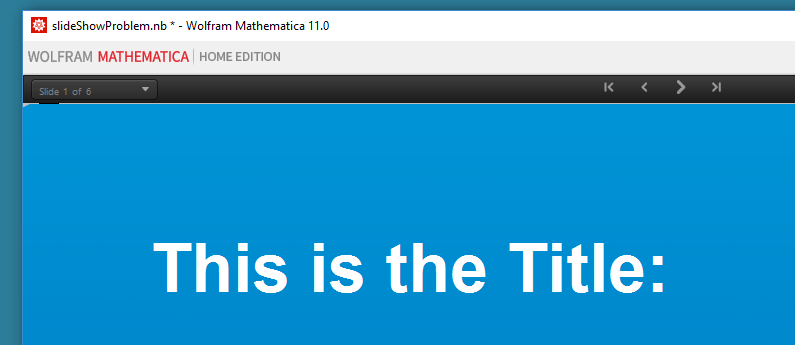
While attempting to understand styles and stylesheet editing for slideshows I have managed to generate a stylesheet that prevents the Mathematica menu line from showing up when in the slideshow environment.
! as shown in this picture]1
The menus are there in the working environment. This isn’t a pressing problem to me but I would like to understand what happened and how to fix it in case this occurs again. Can anyone explain what caused this? The file containing the problem is attached.
EDIT: I forgot to mention that this is on a Windows10 machine and I notice that the picture didn’t get attached. But if you run the file you will get the picture.
SOLVED: It may be bad form to answer ones own question but I finally found the offending option and thought this might be of some use to others. The problem was in the TaggingRules option, in particular in the SlideShowSettings portion of that option. Eliminating the SlideShowSettings with
SetOptions[xx[[3]], TaggingRules -> {"SlideShow" -> True}]
where xx[[3]] refers to the offending Notebook recovered my menus. I still don’t know how this problem occurred but now know what to look for if it happen again. Many thanks to Neil Singer whose reply provided the key to solving this.